Support
Need help? You’re in the right place. Use this page to talk to a person, fix a common issue, or find a step-by-step guide.
Open Live Help in the App Email Support
How to get help
-
Live Help
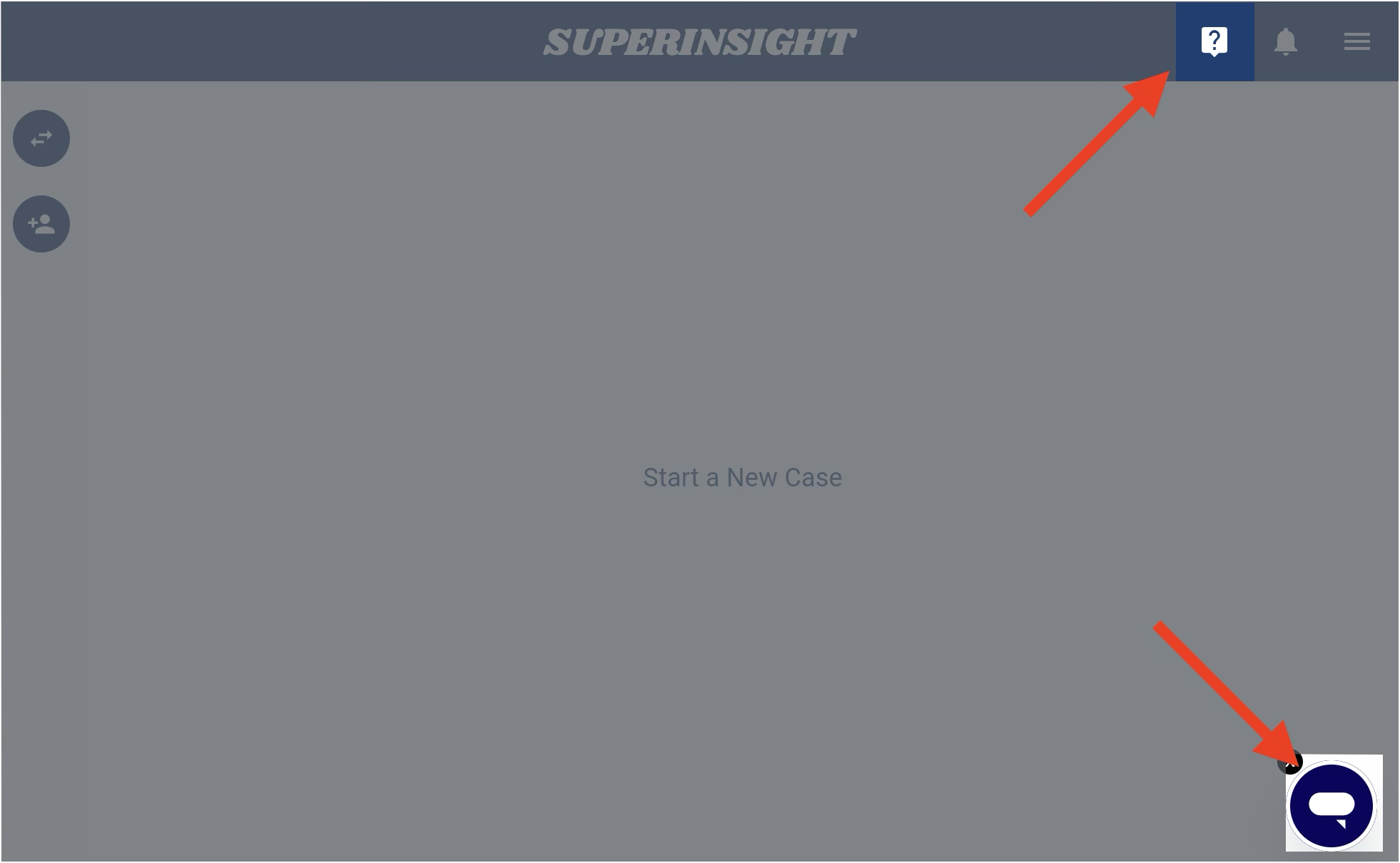
Chat with our team inside the Superinsight app. This is usually the fastest way to get help.
- Open Superinsight
- Look for Live Help in the app
- Send a short message describing what you’re trying to do
-
Email
Prefer email? Reach us at [email protected].
Please include:
- Your name and the email on your Superinsight account
- What you were trying to do
- What went wrong (and a screenshot if you have one)
- The case name, if it relates to a specific case
Before you contact us
Many questions are already answered in the Quickstart Guide and How To Guide. Checking those first can save you time.
Common problems
I can’t sign in
Sign in with the mobile number on your account. Superinsight texts an SMS code to that number.
- Open Superinsight and enter that Mobile Phone number, including the country code
- Click Sign In, then enter the code in the SMS code: dialog and click Submit
- If you recently changed your mobile number, use the new number
- If the text does not arrive, follow Sign in
Still stuck? Contact us through Live Help or email
My file isn’t uploading or processing
- Check that the file finished selecting / uploading
- Wait a moment — larger medical records can take longer to process
- Refresh the page and check whether the file status changed
- Try uploading again if it failed
- If it still fails, tell Support the file name and what you see on screen
My report is taking a long time
- Open the case and check the report status
- Wait for processing to finish before downloading
- If it stays stuck for a long time, contact Support with the case name and report type
I don’t know where to start
Begin here:
- Open or install Superinsight
- Follow the Quickstart Guide
- Explore the How To Guide for specific tasks
Helpful guides
| I want to… | Go here |
|---|---|
| Create my first case and report | Quickstart |
| Open or install Superinsight | Installation |
| Learn a specific feature | How To Guide |
| Understand credits | Credit Usage |
| Manage my subscription | Subscription |
| Sign in | Sign in |
| Change the email on my account | Change your email |
| Update my phone number | Change your mobile number |
| Cancel my subscription | Cancel your subscription |
| Update my payment method | Update your payment method |
| See what’s new | Release Notes |
What to expect from Support
- We’ll help with account questions, product how-tos, and troubleshooting
- For the fastest response, include screenshots and the steps you already tried
- If your question is about a specific case, include the case name
Looking for legal or policy info?
See our Privacy Policy, Terms of Use, and HIPAA Notice.
Next steps
- New to Superinsight? Start with the Quickstart Guide
- Looking up a task? Browse the How To Guide
- Ready to work? Open the App