Create a Case
Create a new case when you start work for a client. Each case holds that client’s documents, reports, and contact details.
Steps
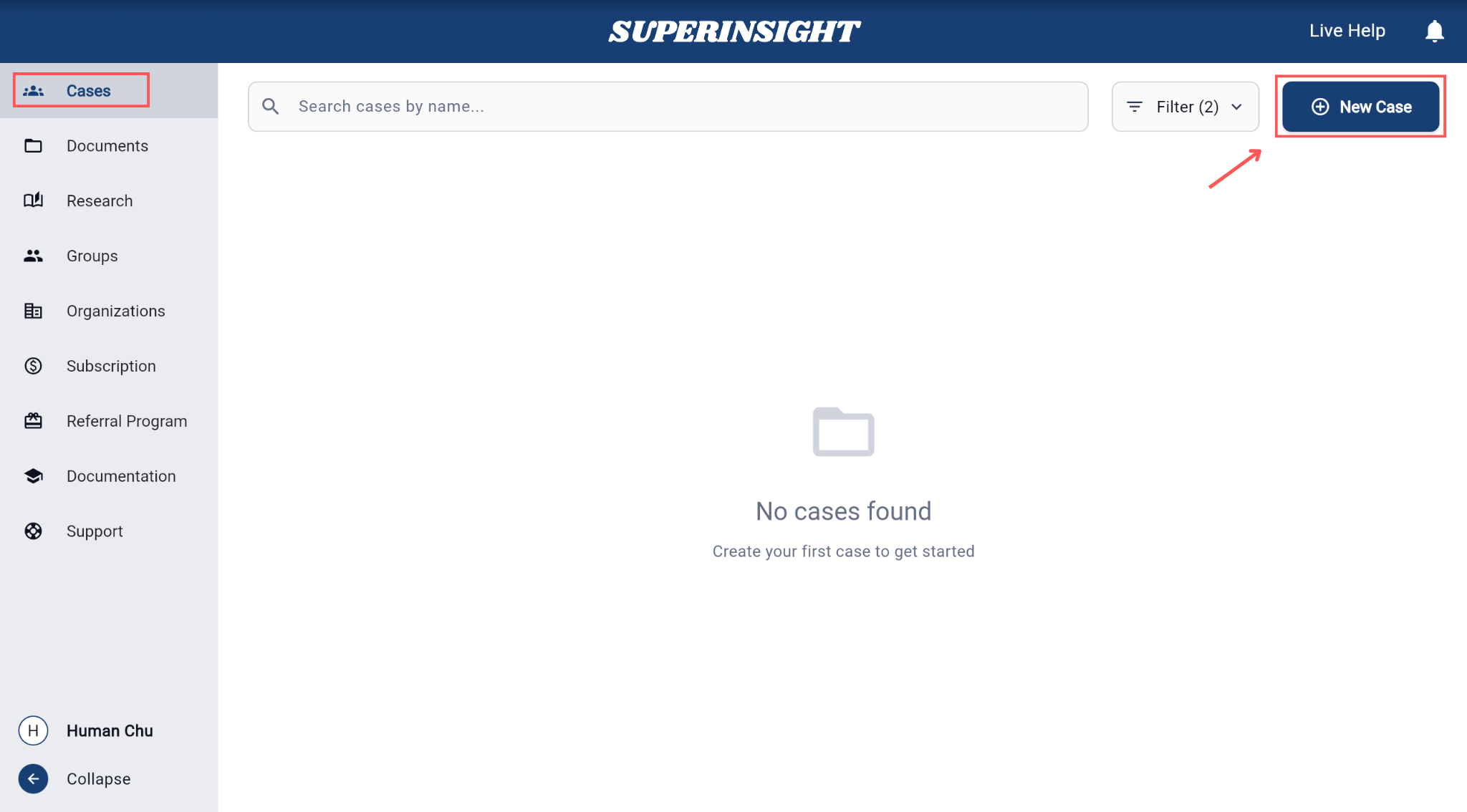
- Open the Cases section in Superinsight.
-
Click the New Case button on the right.
-
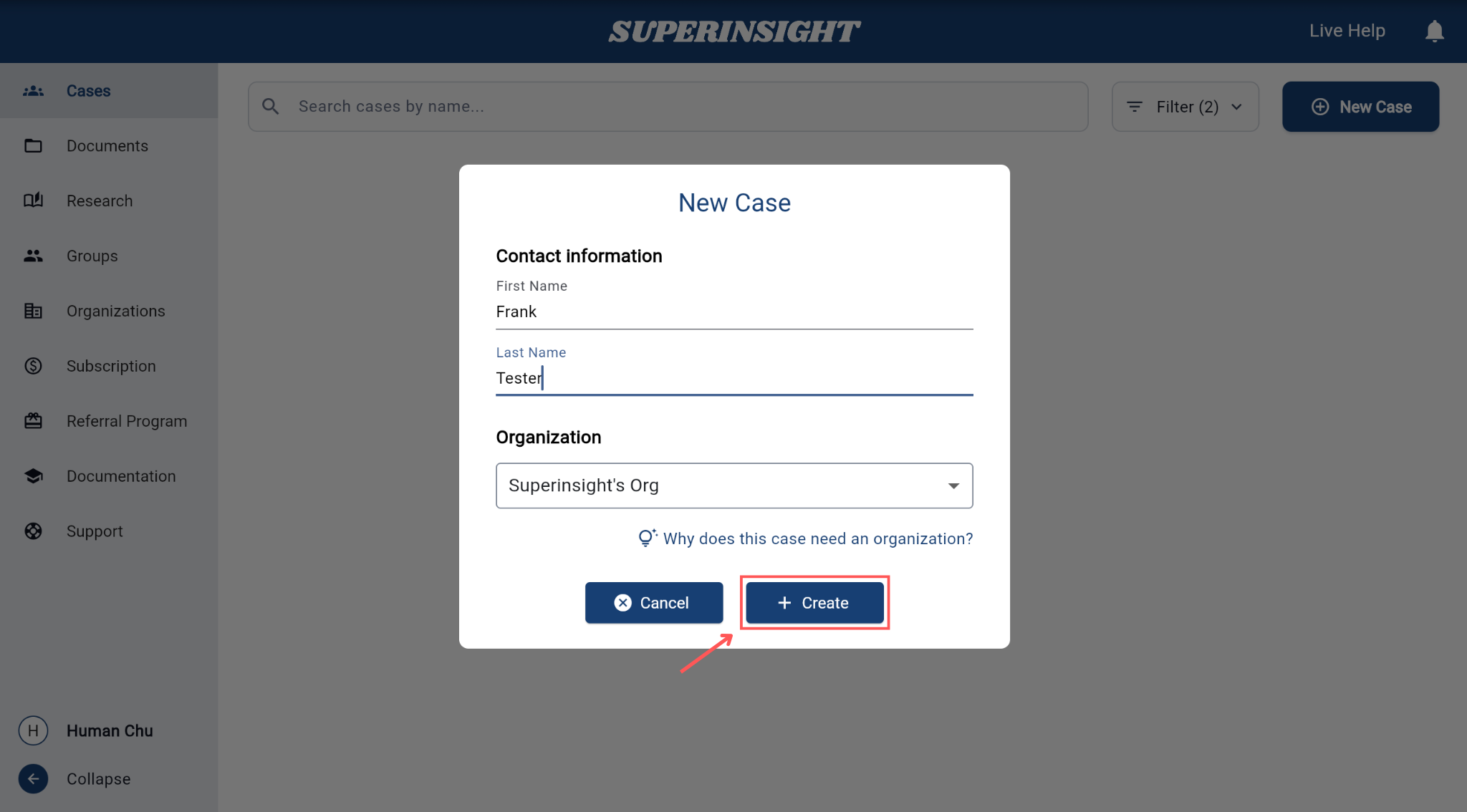
Enter the required information:
- First Name
- Last Name
- Organization — every case must be linked to an organization
-
Click Create.
You're done when…
The new case appears in your case list with the client’s name.
Next steps
- Find and open a case
- Organize my files — upload documents to the case
- Update contact info