Delete a Case
Delete a case when you no longer need it. This permanently removes the case and everything inside it.
Important
Deleting a case permanently removes all associated data, including documents, reports, and contact information. This cannot be undone.
Steps
- Open the Cases list.
- Find the case you want to delete.
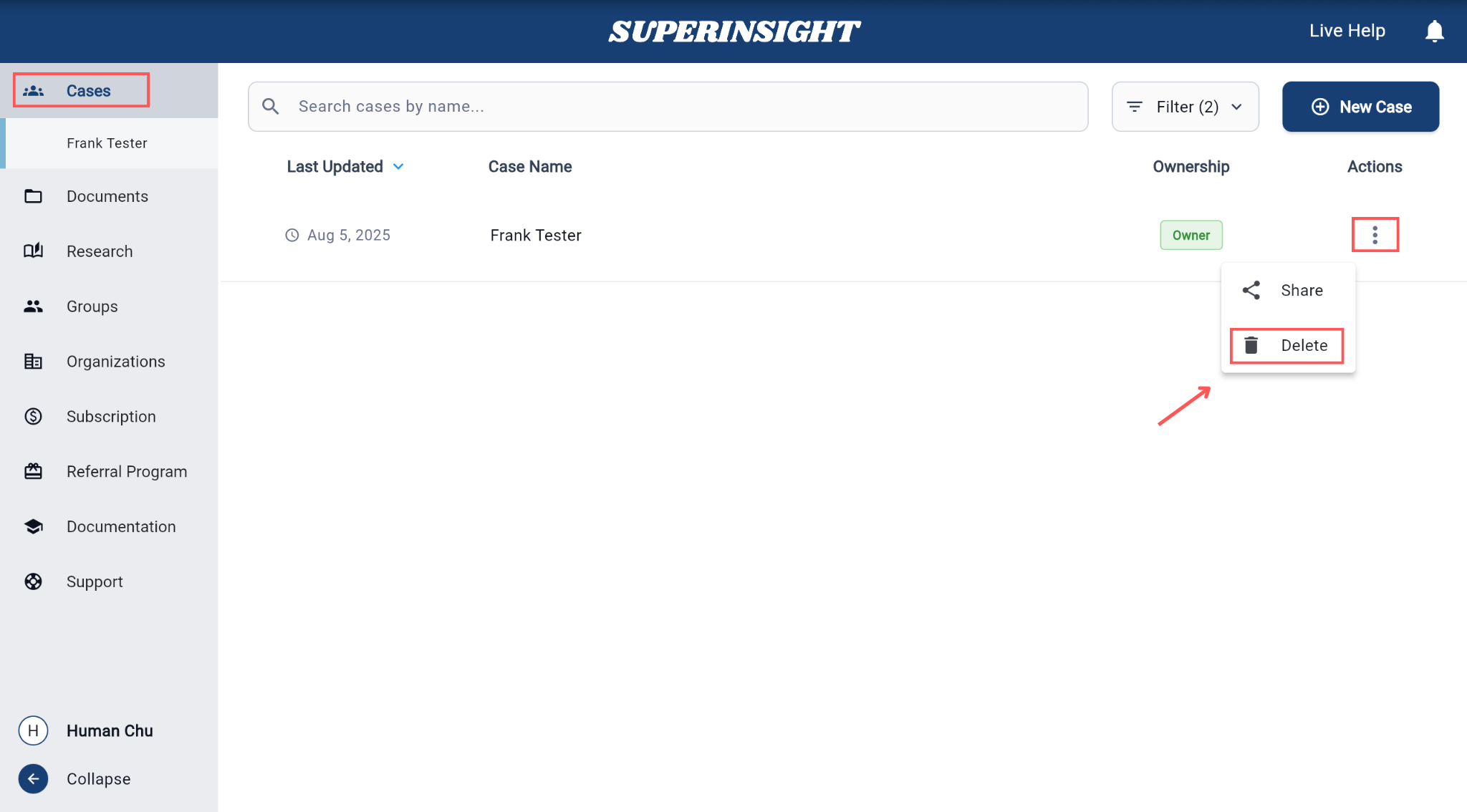
- Click the three-dot menu (⋮) next to the case name.
-
Click Delete.
-
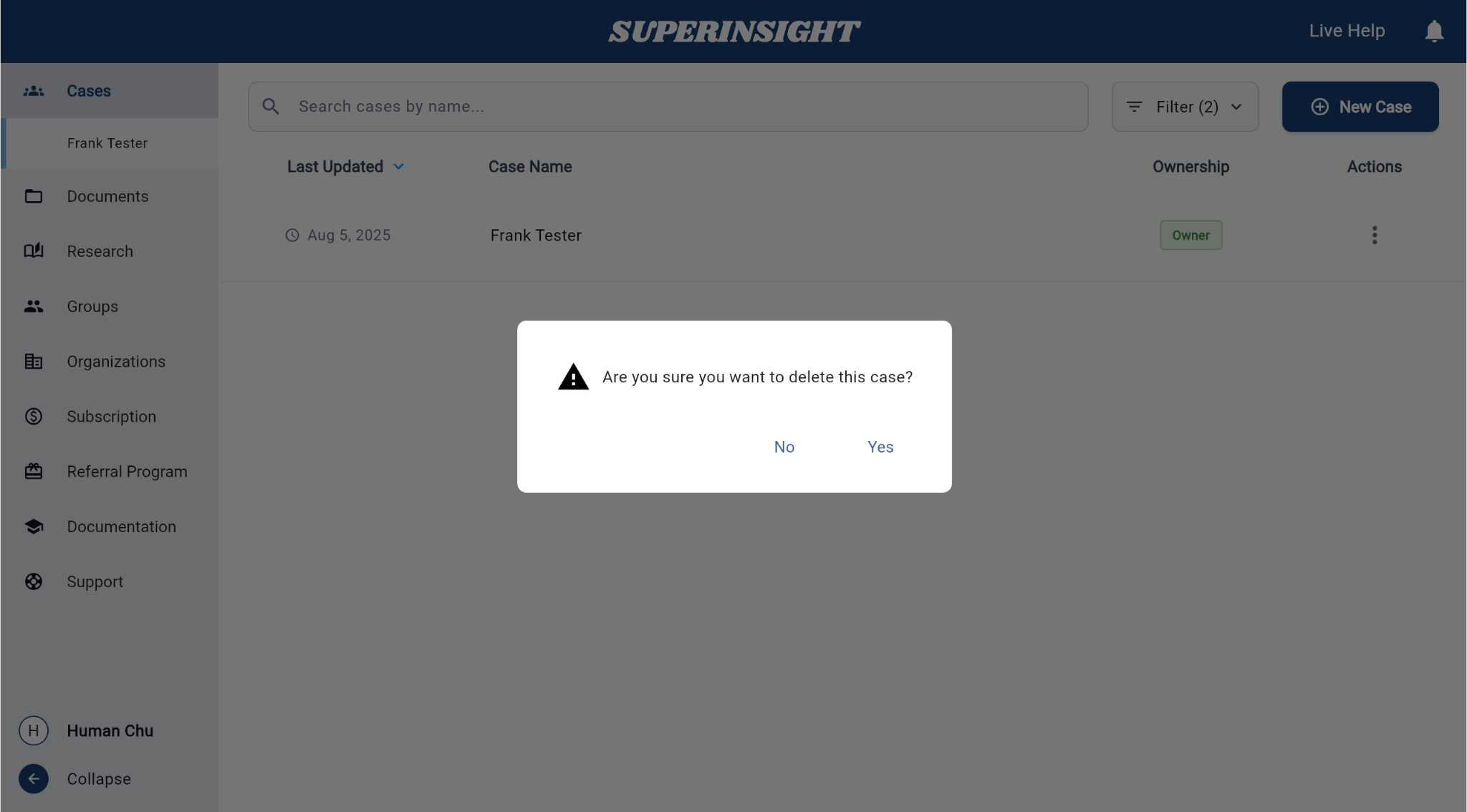
Confirm the deletion in the dialog that appears.
You're done when…
The case no longer appears in your case list.
Next steps
- Create a case
- Find and open a case
- Need help? Contact Support