Sync from Cloud Drive
You can now connect to your cloud storage and get insight instantly with files in your drive.
Click the "upload" icon on the left navigation and choose the cloud drive options you want to connect to. We currently support OneDrive and will add more options really soon.
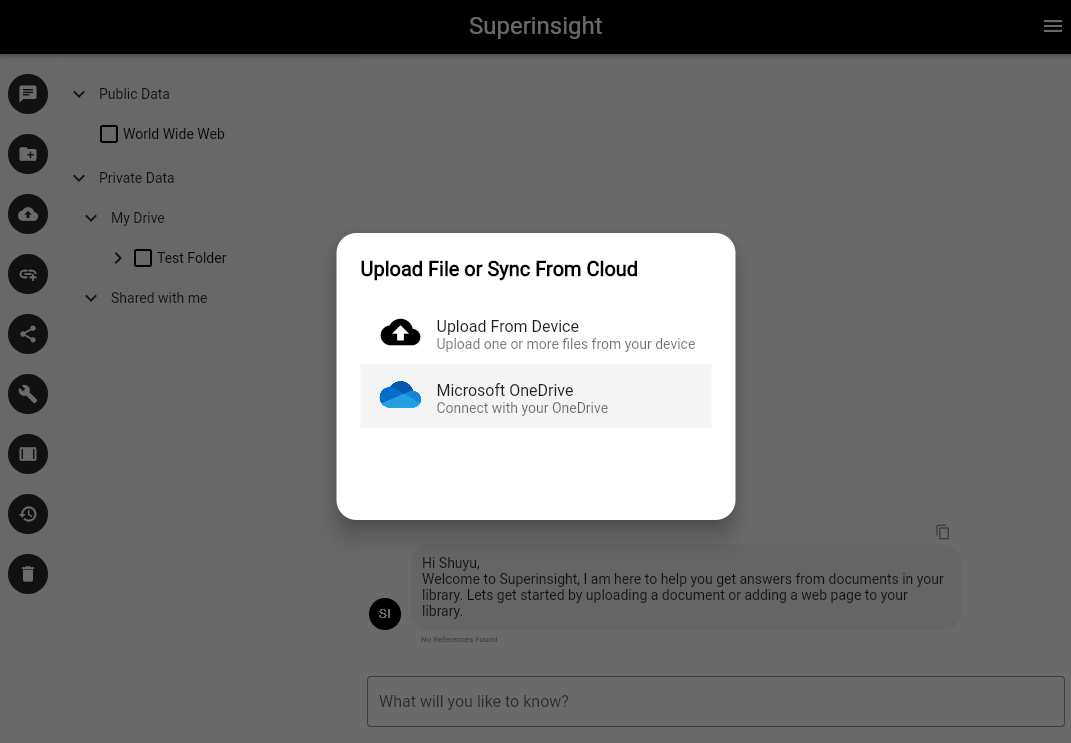
Sign in your cloud drive account and accept access permissions to the app. Superinsight will only use this permission to access your file content and provide insights. We will not add, modify, or delete any of your files.
After you successfully connect to your cloud drive, you can see folders and files that owned by you and shared with you in the sources list on left.
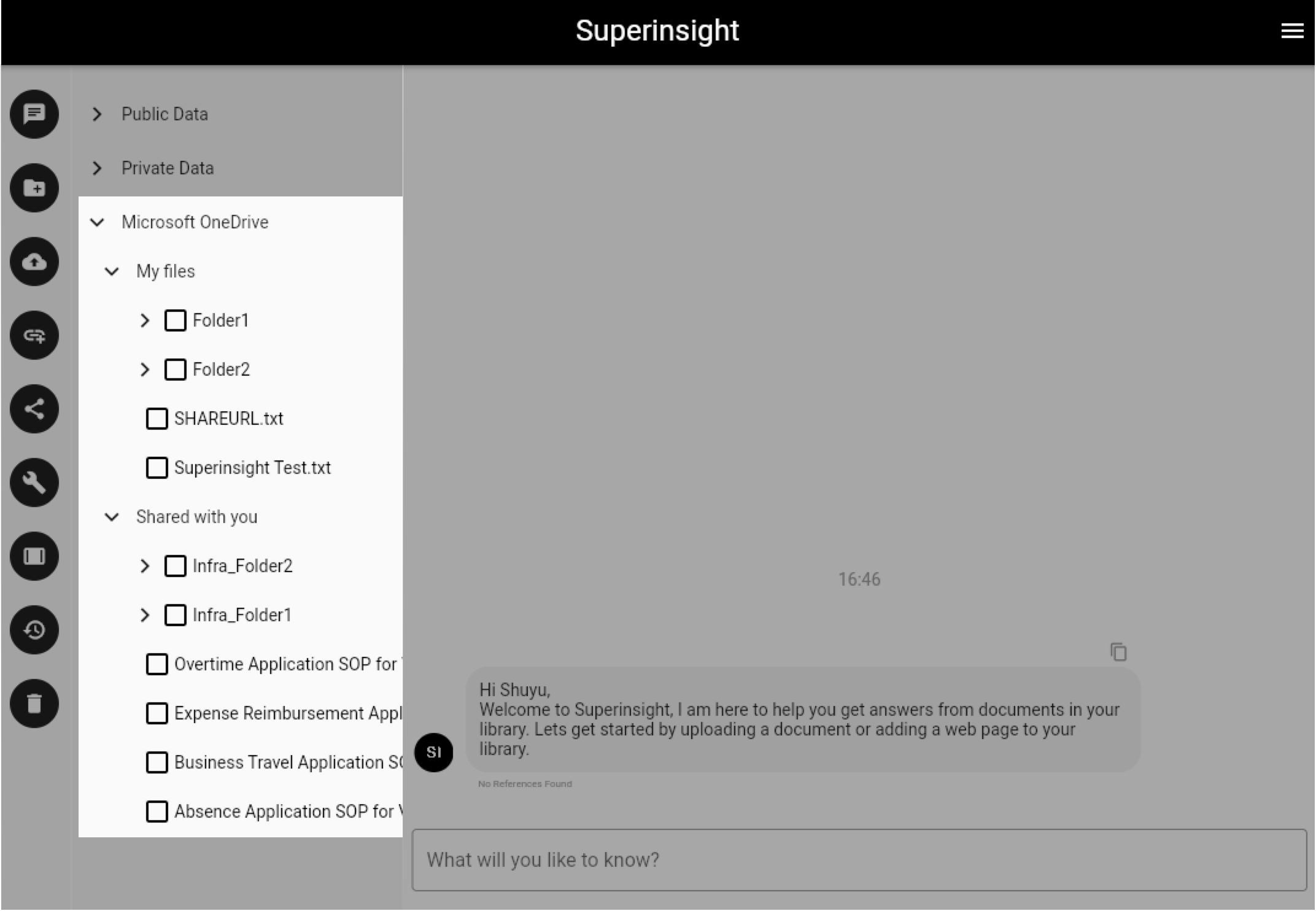
Just like uploading your local files, Superinsight will take time to process all the contents in your files and build your knowledge base, once it's ready, you can get insights with your cloud files.